Keep quantities, conditions, notes and wishlists together. Search by card, set, illustrator or language, and switch between owned and missing views.
Normal, Holo and Reverse Holo ownership records
Grid and list browsing with collection filters
English and Japanese catalogue imports
Clear labels where printing data is unspecified
02
Make space for a complete set—or something entirely yours.
Start blank, or create a binder from imported sets and series. Preview the layout before creating it, choose your pocket grid, and include missing cards or only the cards you own.
Automatic page counts and numbered volumes
Collector-number ordering and optional new pages per set
Drag-to-swap on desktop and tap-to-move on mobile
No change to ownership when planning a pocket
03
Your style. On every page.
Give each binder its own colours or wallpaper. Adjust the image and pocket appearance, and distinguish known finishes with subtle decorative foil effects.
Upload JPEG, PNG or WebP wallpaper
Opacity, blur, dimming and image-fit controls
Separate card-class badges and printing finishes
Optional backgrounds for printing
04
Market context, without the mystery.
Review provider-supplied market prices, AUD reference conversions and recorded observations. See what is priced, what is missing, and how fresh the data is.
Background refresh for owned, wishlisted and planned cards
Source currencies, timestamps and exchange-rate dates
Collection and planned-binder value references
Unsupported or stale prices are not silently counted as zero
05
A place to collect. A table to play.
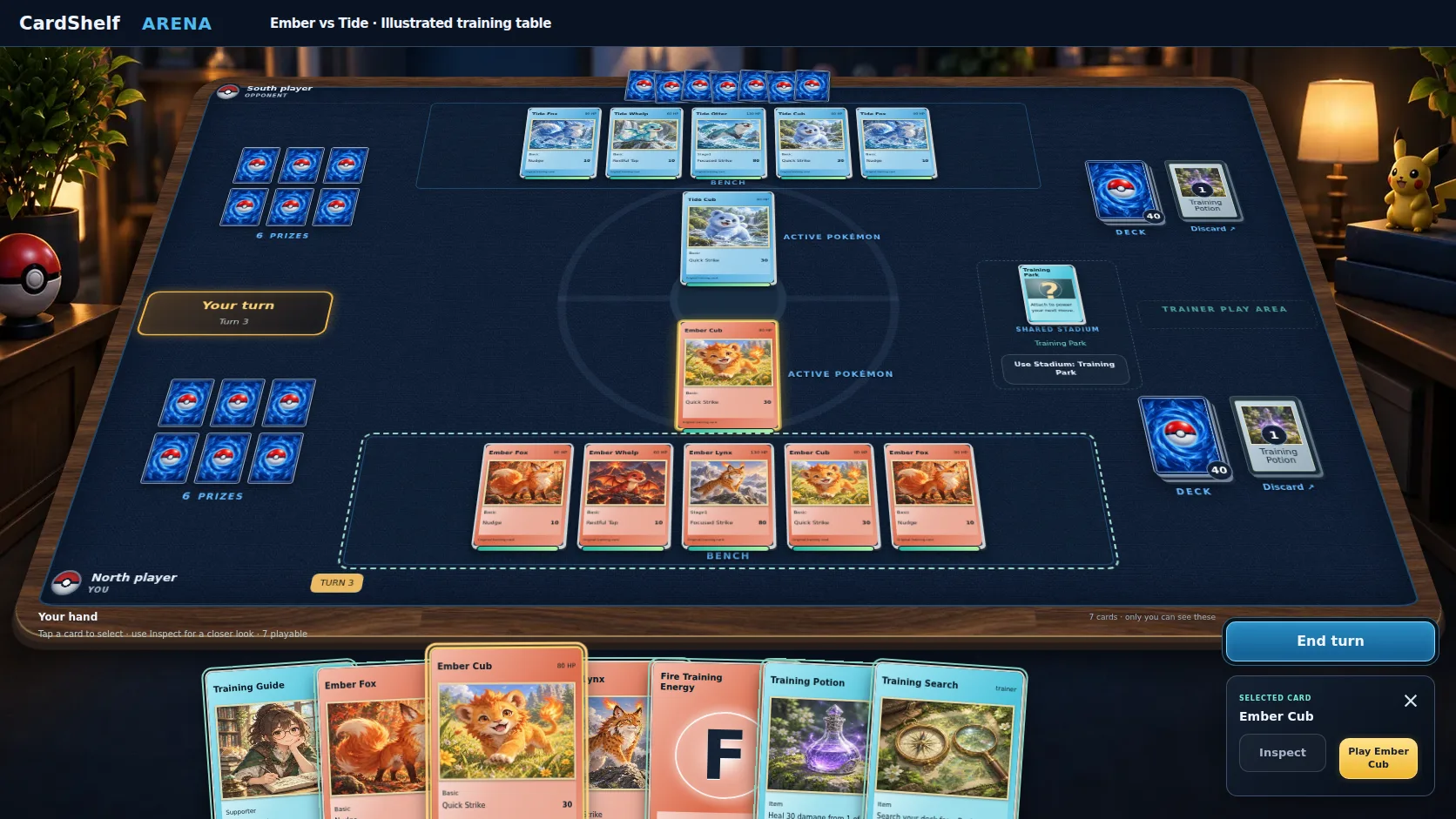
Step into the first-person Pokémon Arena: a walnut table, woven playmat, illustrated training decks and a private foreground hand. Learn with a coach, practise against the computer or invite another eligible member.
Automatic turns, attacks and supported card effects
Deck building with clear card-support checks
Inspection, legal targets, match history and optional effects
Touch and keyboard controls, with a flat mobile layout
06
Show the binder. Keep the private details.
Create a read-only link when you want to share a binder’s planned layout and appearance. Your ownership quantities and private notes stay out of the shared view.
Rotate or disable a sharing link
Download ownership JSON or CSV
Print missing-card placeholders and checklists
Keep account access separate from public sharing
CARDSHELF ARENATHE FIRST-PERSON TABLE
Captured from the Arena interface. Illustrative table with original CardShelf training cards; catalogue matches show their own card artwork.
ARENA ACCESS
A table for Collector members.
Arena requires Collector or Collector Plus membership, or an explicit Complimentary account assignment, and must be enabled on CardShelf. Free accounts and general collecting invitations do not automatically include Arena.
Catalogue and pricing coverage depend on upstream data. A printing checklist is not a verified complete master-set catalogue. Market values are reference estimates, not appraisals or guaranteed sale prices. Use the card-support checks before entering an Arena match.
MAKE ROOM FOR WHAT COMES NEXT
From your next find to your next match.
Build your collection. Make it yours. Discover what’s new in Arena.
 CardShelf